
Connect zeeproc with HubSpot for Autonomous Customer Success
Sync your CRM data bidirectionally. Let AI agents predict churn, automate renewals, and drive expansion — all powered by your HubSpot data.
Your CRM data, supercharged by Agentic AI
The zeeproc + HubSpot integration transforms static CRM data into autonomous customer success workflows. Stop context-switching — start predicting outcomes.
Bidirectional CRM Sync
Contacts, companies, deals, and custom objects flow seamlessly between HubSpot and zeeproc. Every update in either platform is reflected in real time — no manual exports, no stale data.
AI-Powered Churn Prediction
zeeproc's agents analyze HubSpot engagement signals, deal velocity, and usage patterns to predict churn 30 days in advance. Catch at-risk accounts before it's too late.
Autonomous Renewal Workflows
AI agents draft renewal emails, prepare QBR decks, and trigger escalation playbooks — all from your HubSpot deal and contact data. Reduce manual renewal workload by 50–80%.
Unified Health Scoring
Combine HubSpot CRM signals with product usage and support data into a single predictive health score. Surface risk and expansion signals directly inside your CRM.
Expansion Signal Detection
Automatically identify cross-sell and upsell opportunities based on usage patterns, engagement trends, and CRM deal history. Revenue teams see signals in HubSpot, instantly.
Zero-Code Playbook Execution
Connect your HubSpot workflows with zeeproc's autonomous playbooks. No developer needed — configure triggers, actions, and escalation rules through a visual builder.
HubSpot alone vs. HubSpot + zeeproc
Your CRM captures the data. zeeproc acts on it — autonomously.
❌ HubSpot CRM Alone
- • Manual review of engagement data to spot risk
- • QBR preparation takes 10+ hours per account
- • Renewal outreach triggered by calendar dates, not signals
- • CSMs react to churn after it's already happening
- • Expansion opportunities buried in dashboards
✓ HubSpot + zeeproc
- ✓ AI agents monitor health scores 24/7 and alert on risk
- ✓ QBRs auto-generated from synced CRM + usage data
- ✓ Renewal playbooks triggered by predictive signals
- ✓ Churn predicted 30 days in advance with corrective actions
- ✓ Expansion signals surfaced automatically in HubSpot
What syncs between HubSpot and zeeproc
A native, OAuth 2.0-secured integration that keeps both platforms in perfect sync — no middleware, no Zapier, no CSV exports.
Contact & Company Sync
Bidirectional sync of contacts, companies, and associated properties. Custom field mapping supported.
Deal & Pipeline Data
Import deal stages, amounts, and close dates to power renewal prediction and revenue forecasting.
Custom Object Support
Map HubSpot custom objects to zeeproc data models for full flexibility across your GTM stack.
Activity & Engagement Logging
HubSpot email opens, meeting notes, and call logs flow into zeeproc for unified engagement analysis.
Lifecycle Stage Mapping
Automatically update HubSpot lifecycle stages based on zeeproc onboarding, adoption, and renewal milestones.
Ticket & Support Integration
HubSpot Service Hub tickets feed zeeproc's health scoring model, connecting support data to churn signals.
Workflow Triggers
Trigger HubSpot workflows based on zeeproc events — churn risk detected, renewal due, expansion signal identified.
Two ways to set up the integration
Choose the path that fits your workflow. Both use OAuth 2.0 for secure authorization and require no engineering support.
Quick Connect (In-App)
Self-service setup from zeeproc's onboarding flow. Connect HubSpot during signup and start syncing data in under 2 minutes.
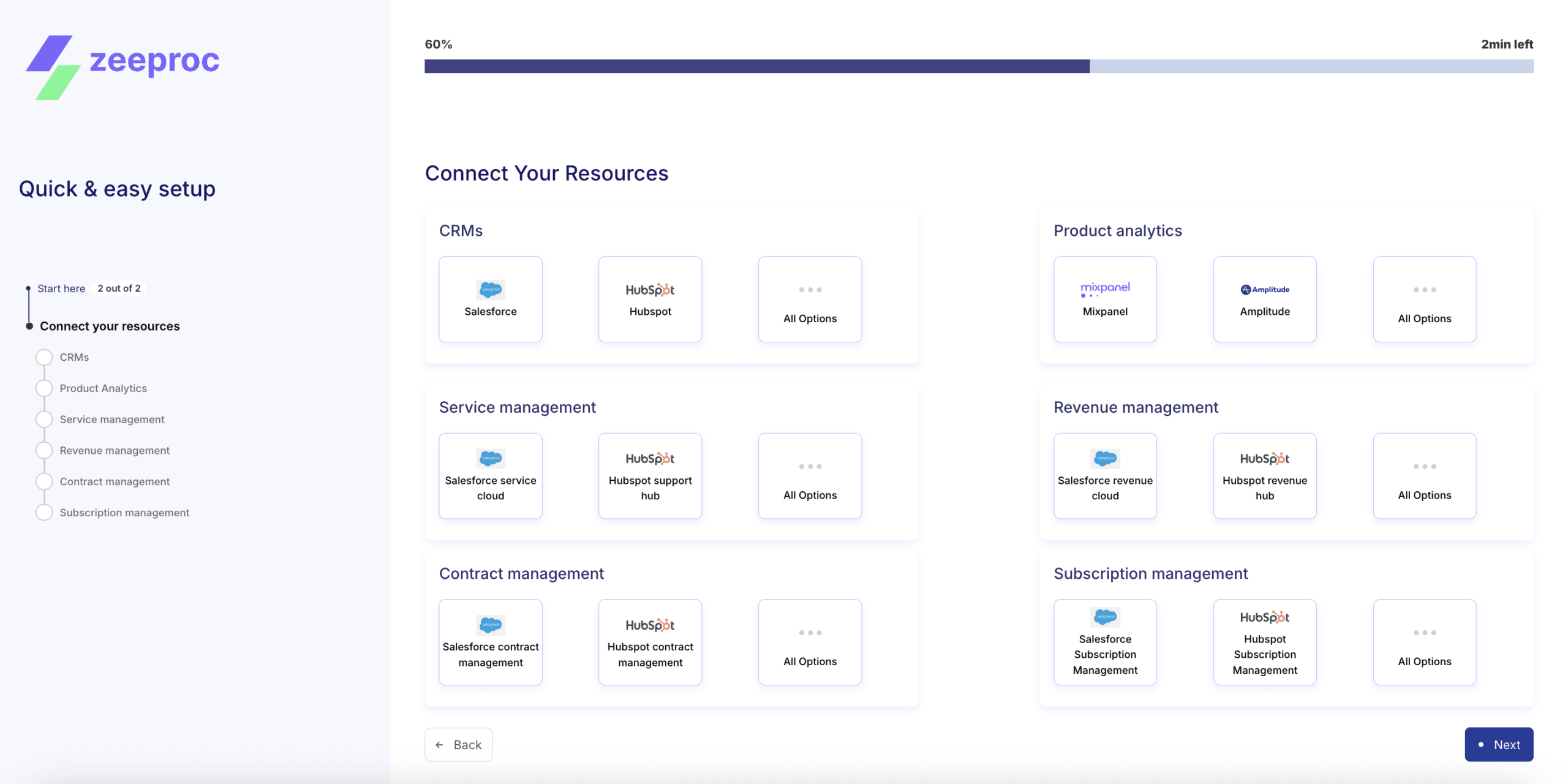
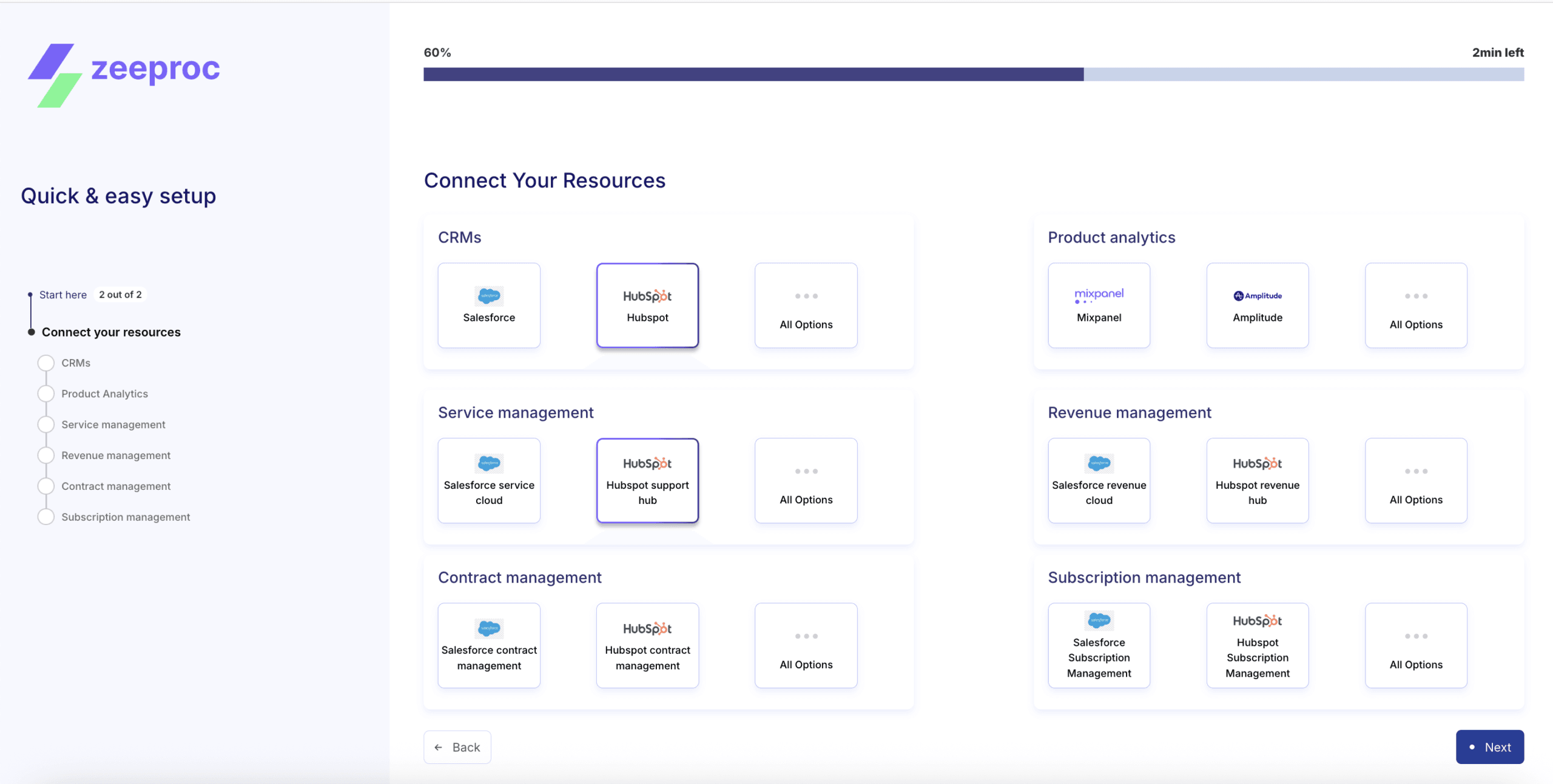
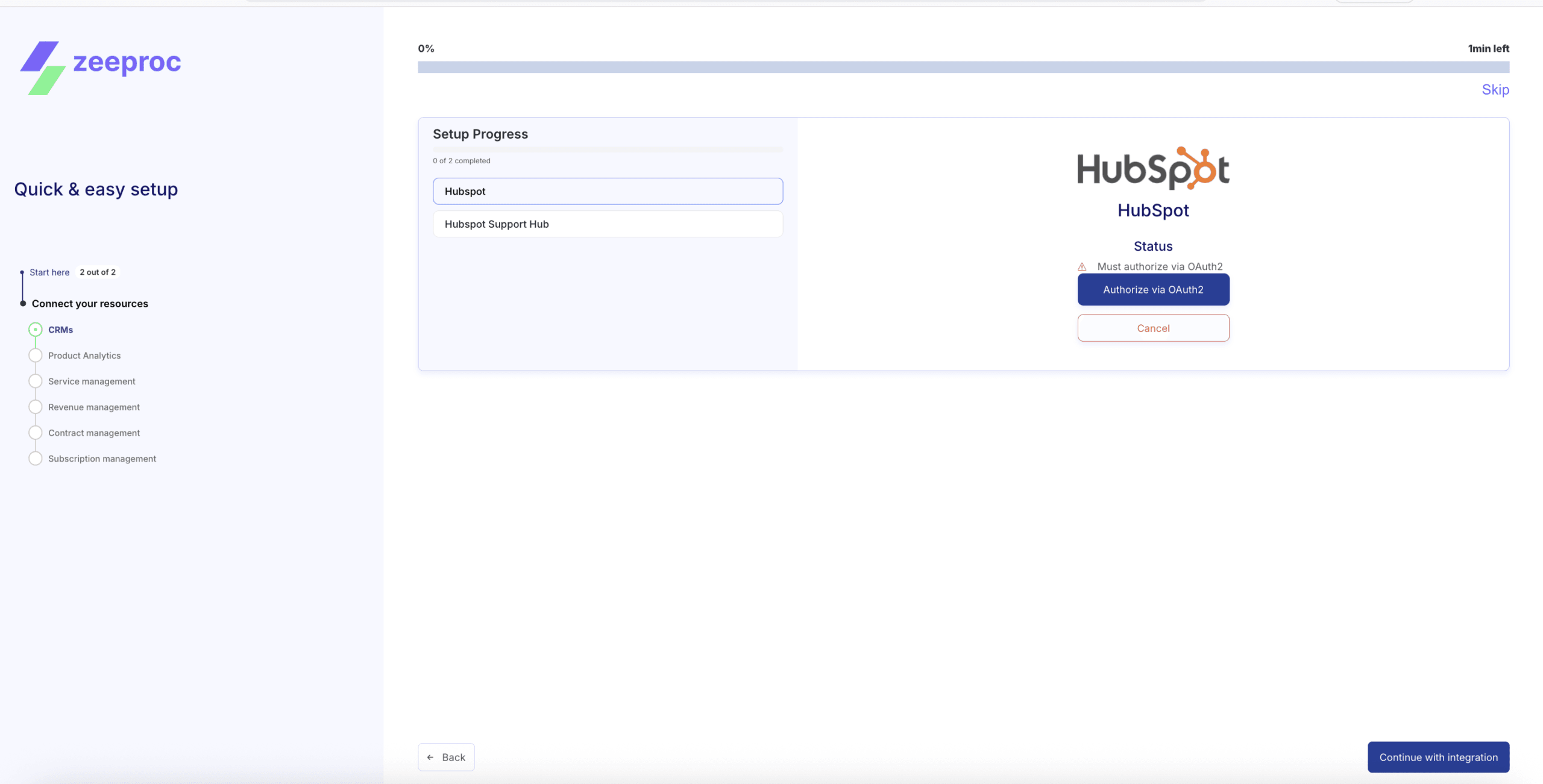
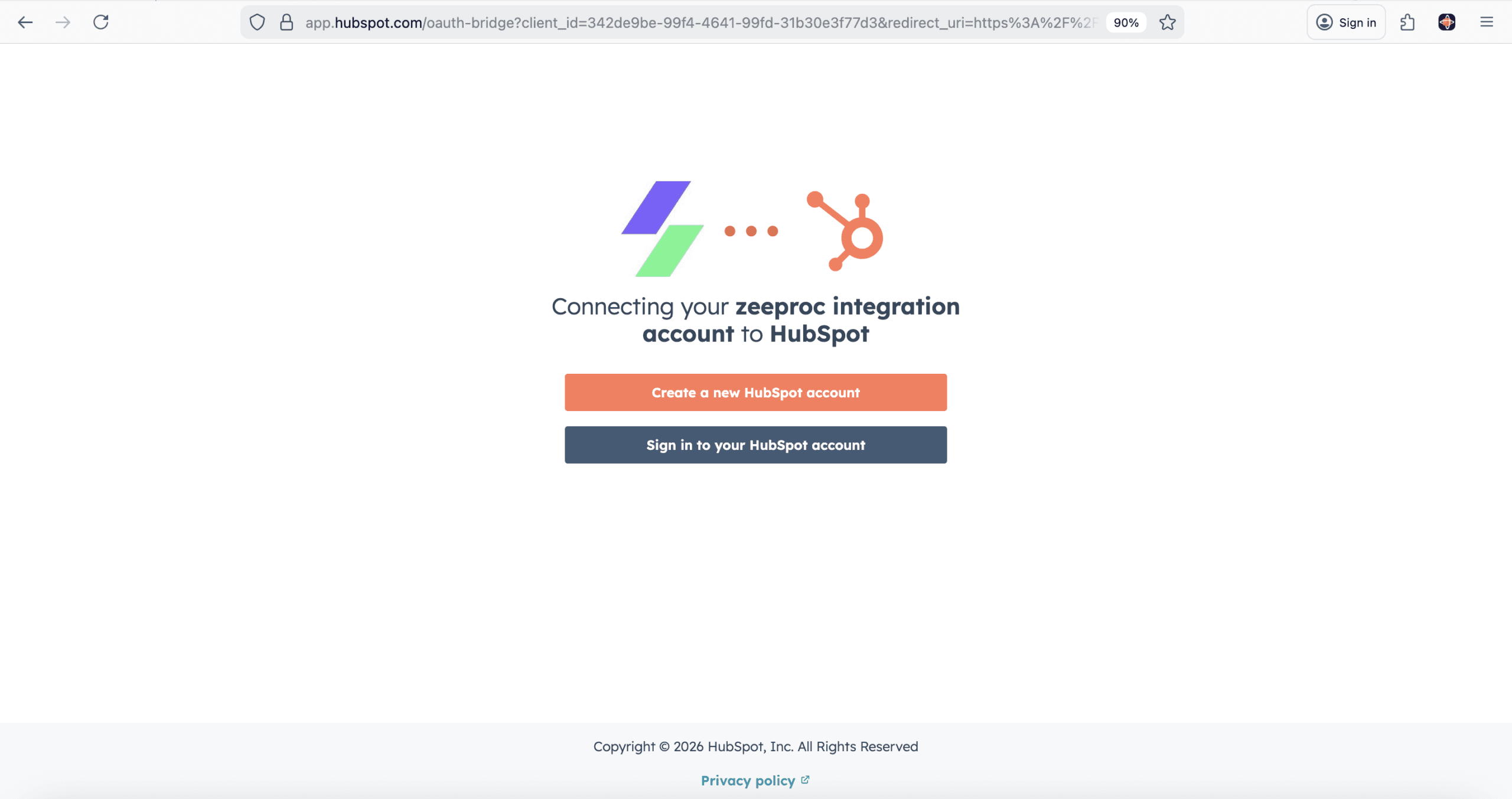
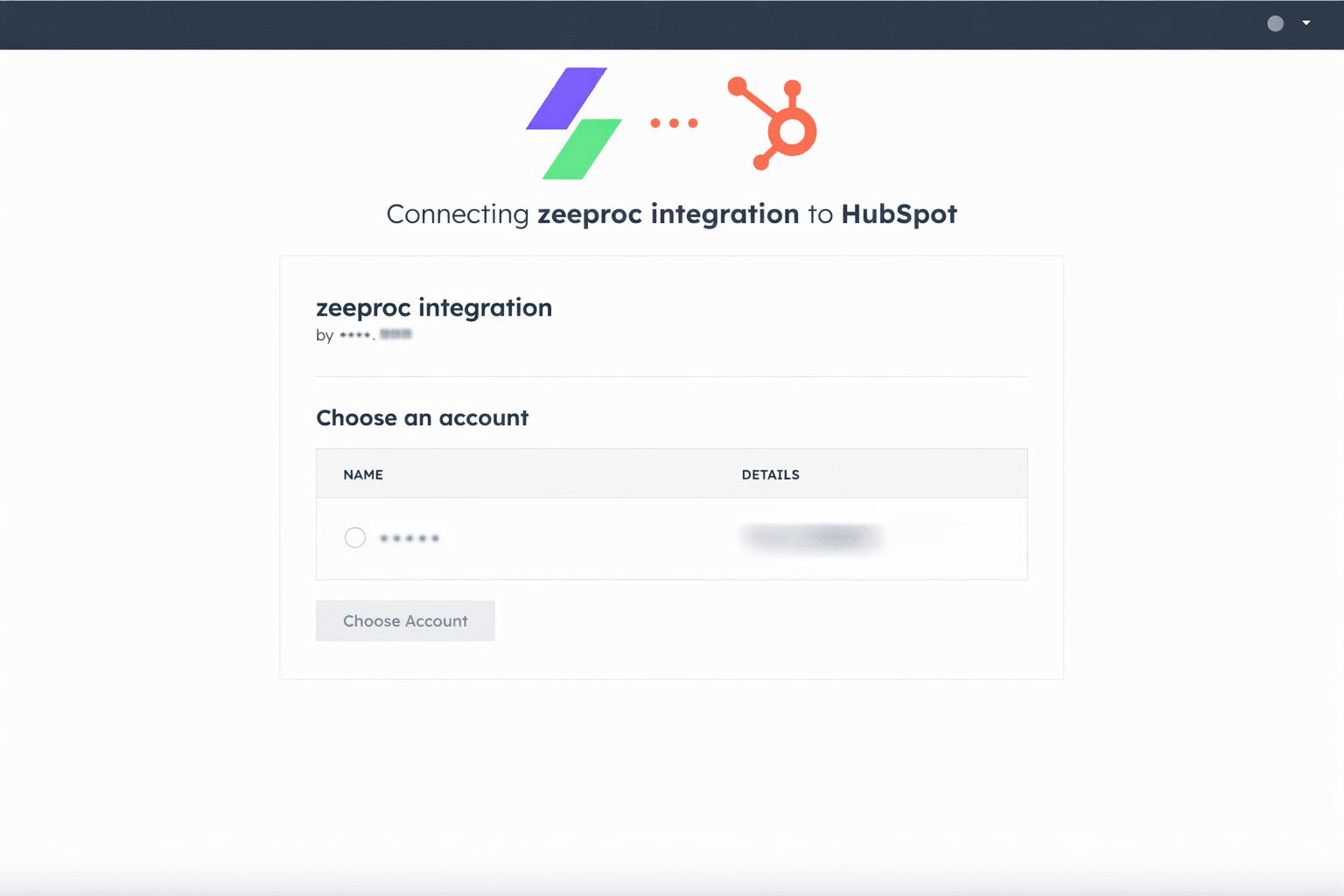
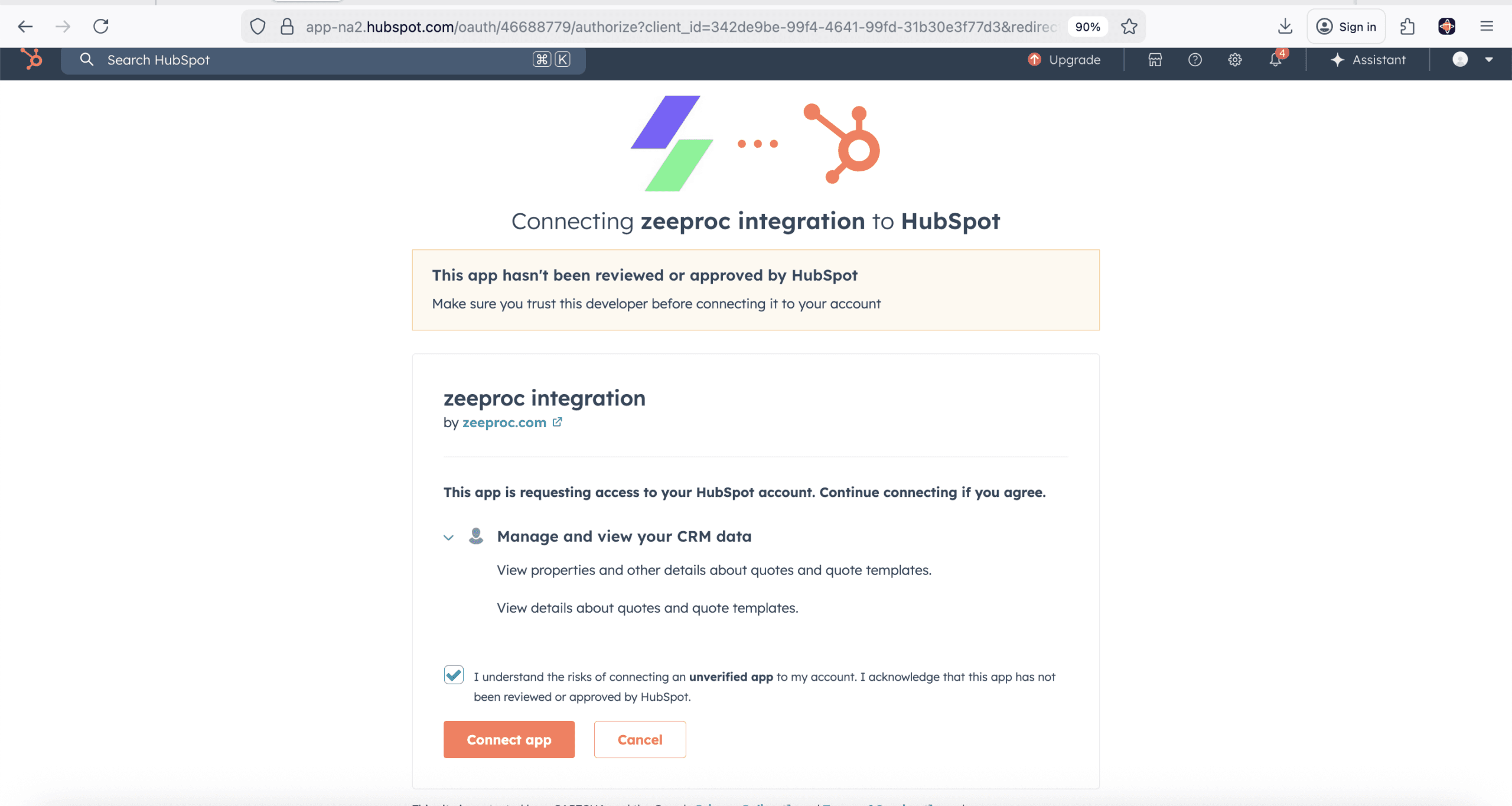
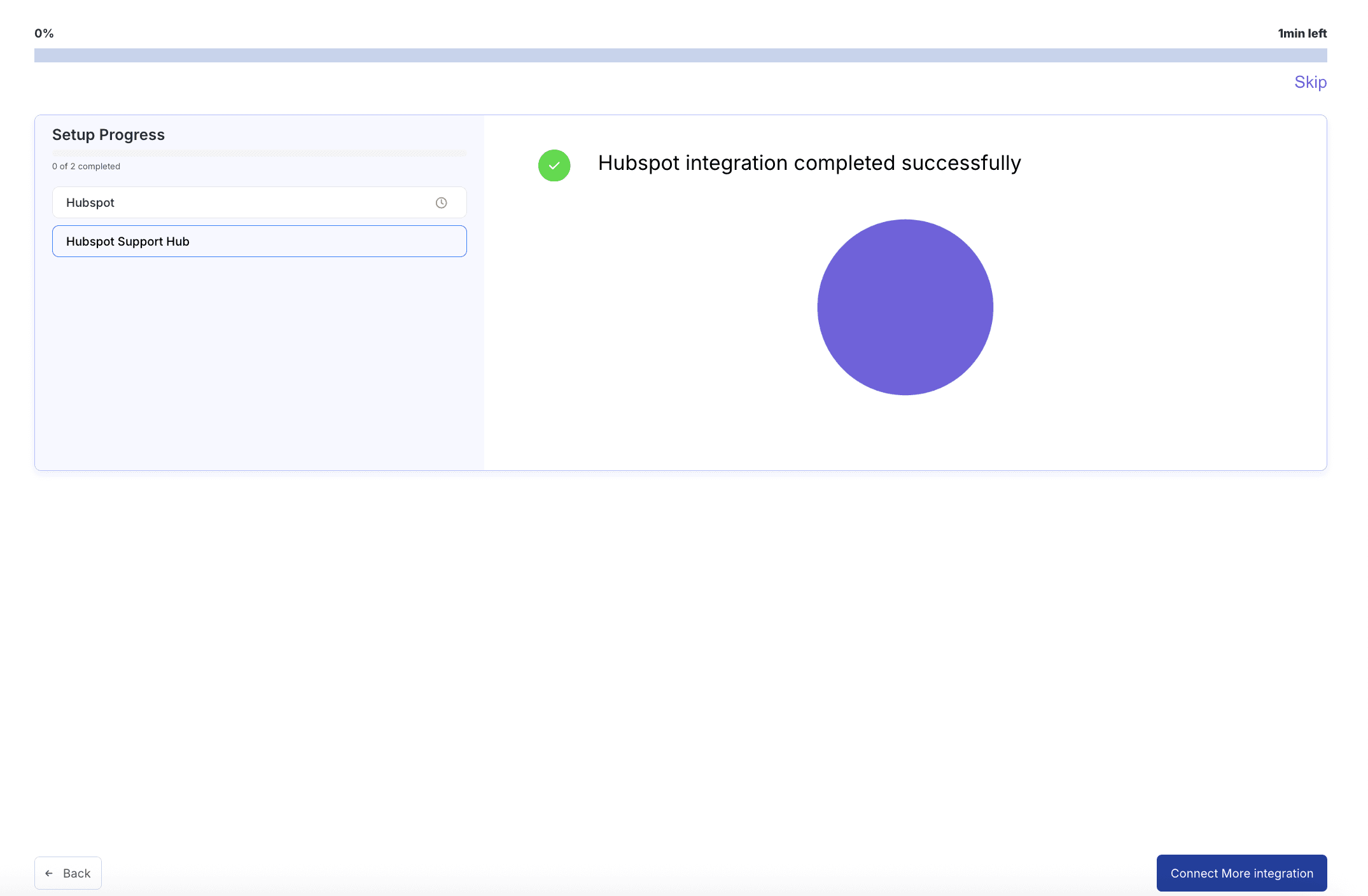
- 1 Sign up at app.zeeproc.com/signup and start the onboarding wizard
- 2 Select HubSpot from the CRM integration picker and click "Connect"
- 3 Authorize via OAuth — zeeproc automatically maps your HubSpot objects and begins syncing
Settings Configuration
Admin-level setup from zeeproc's Settings panel. Connect HubSpot after initial setup in under 2 minutes.
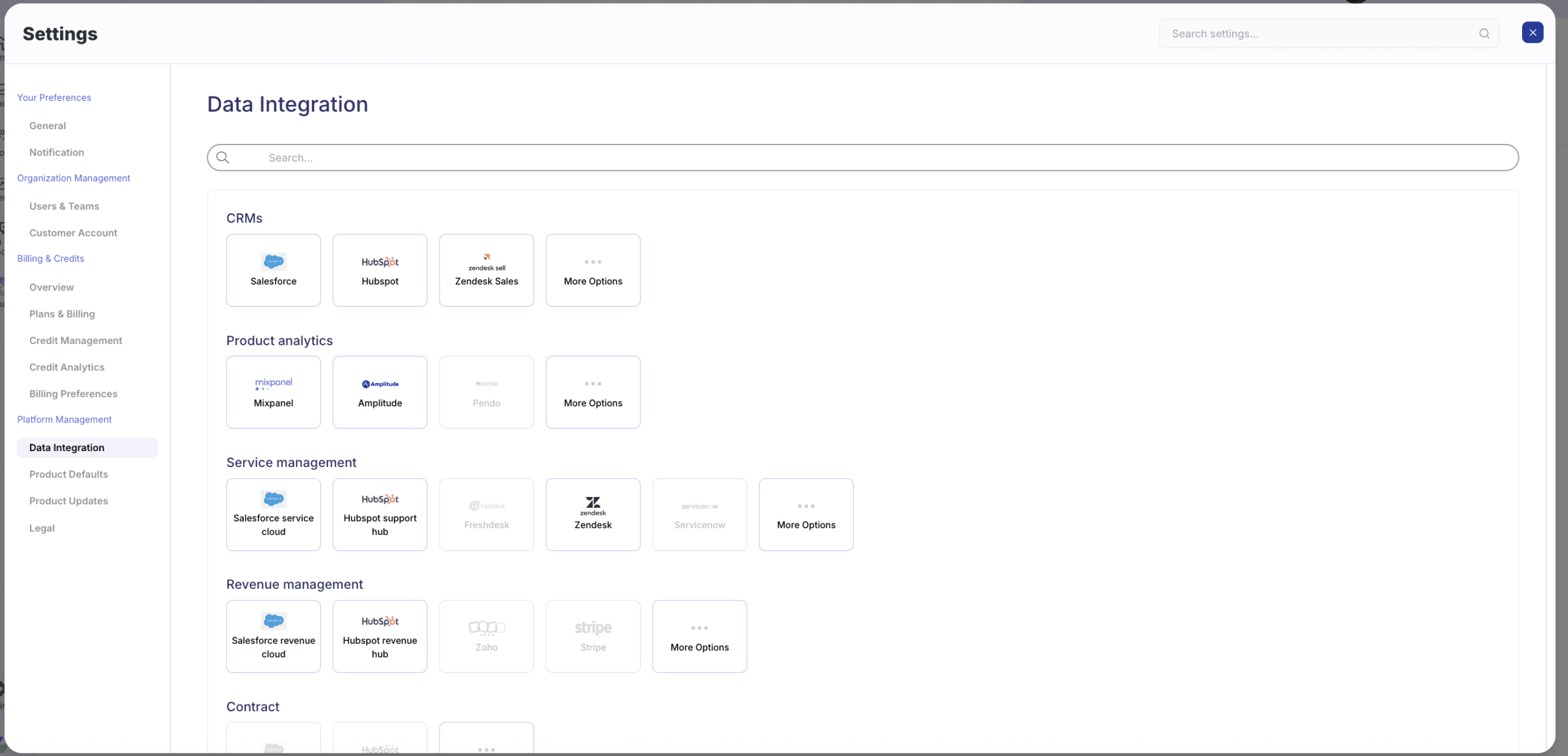
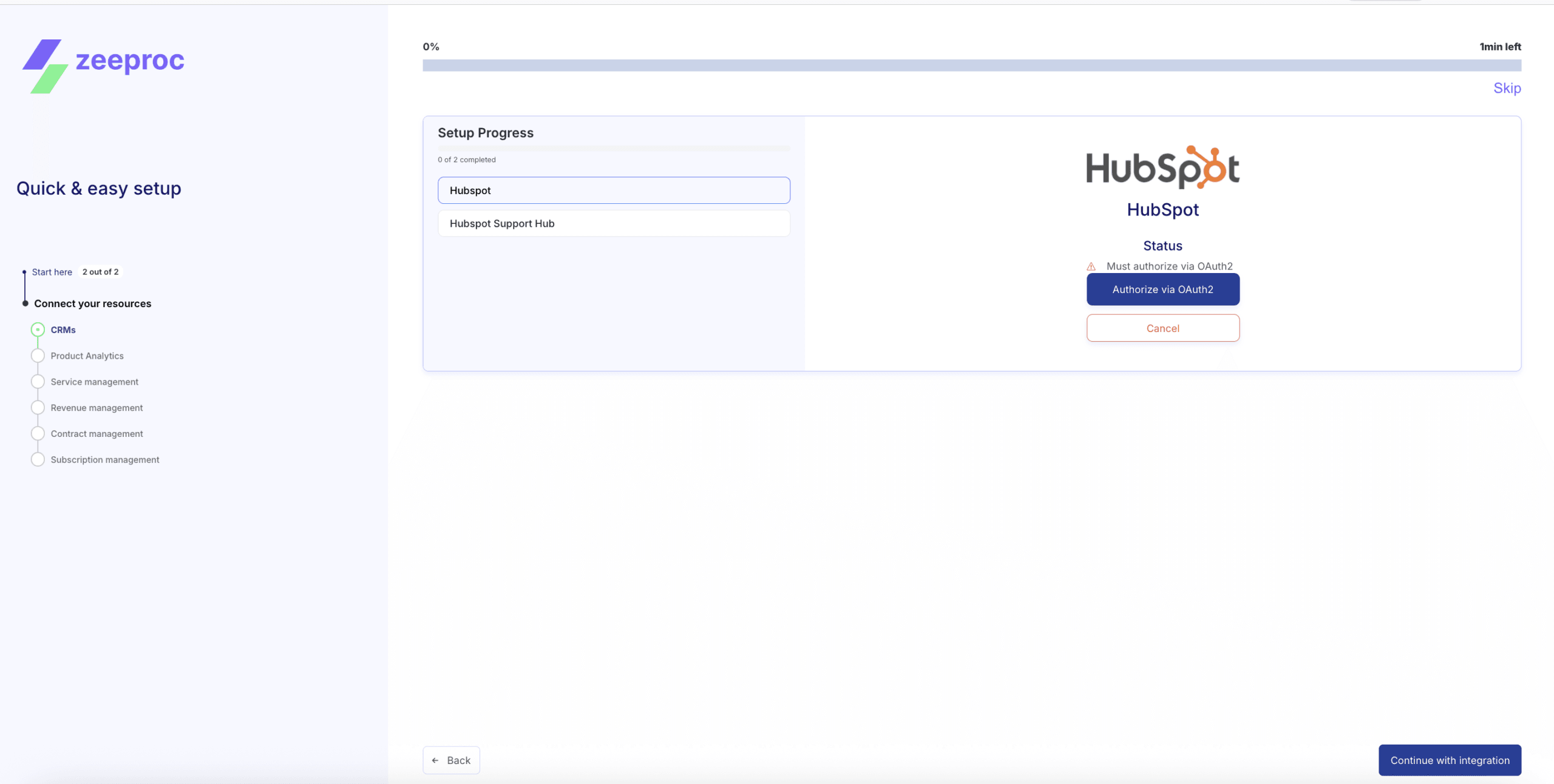
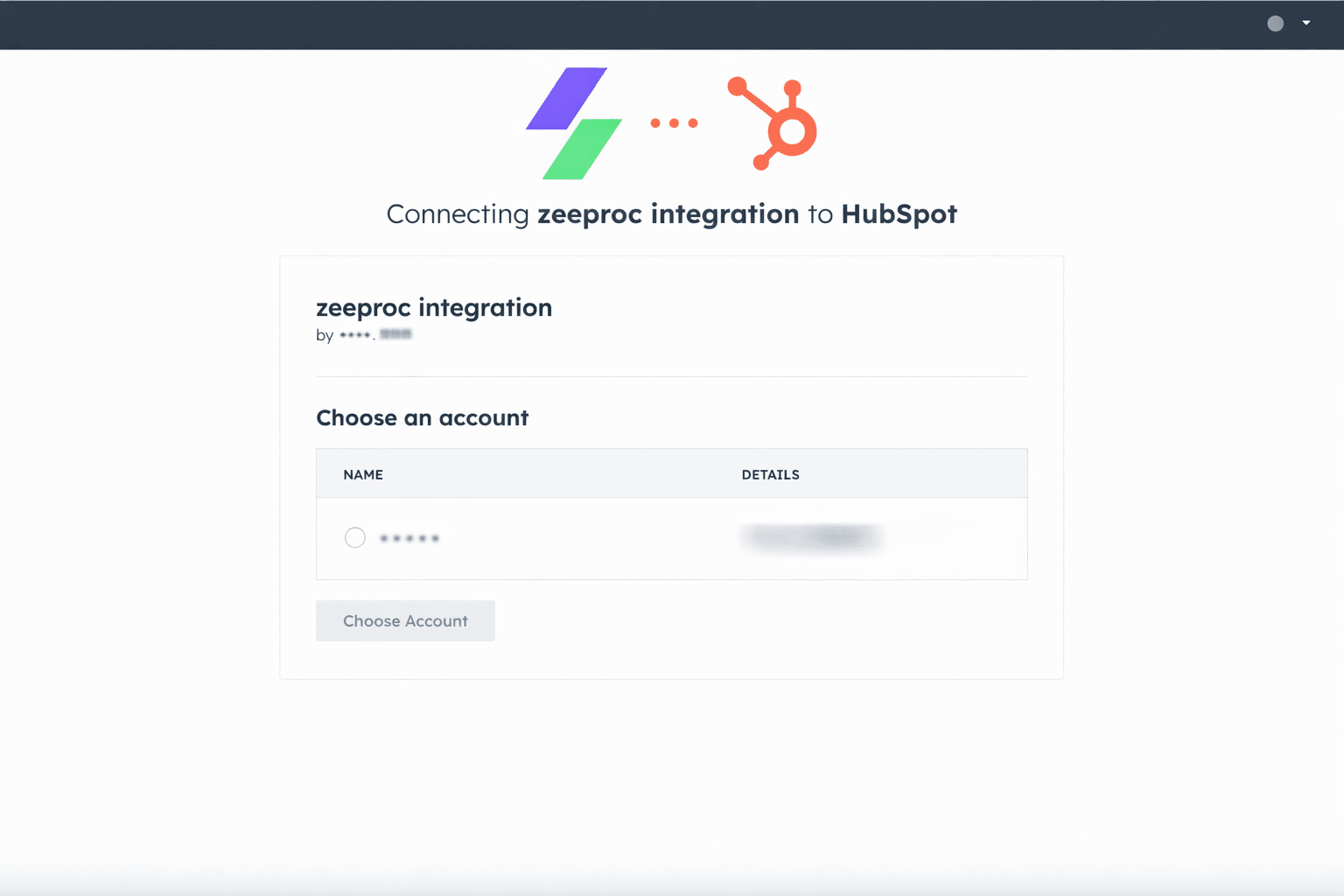
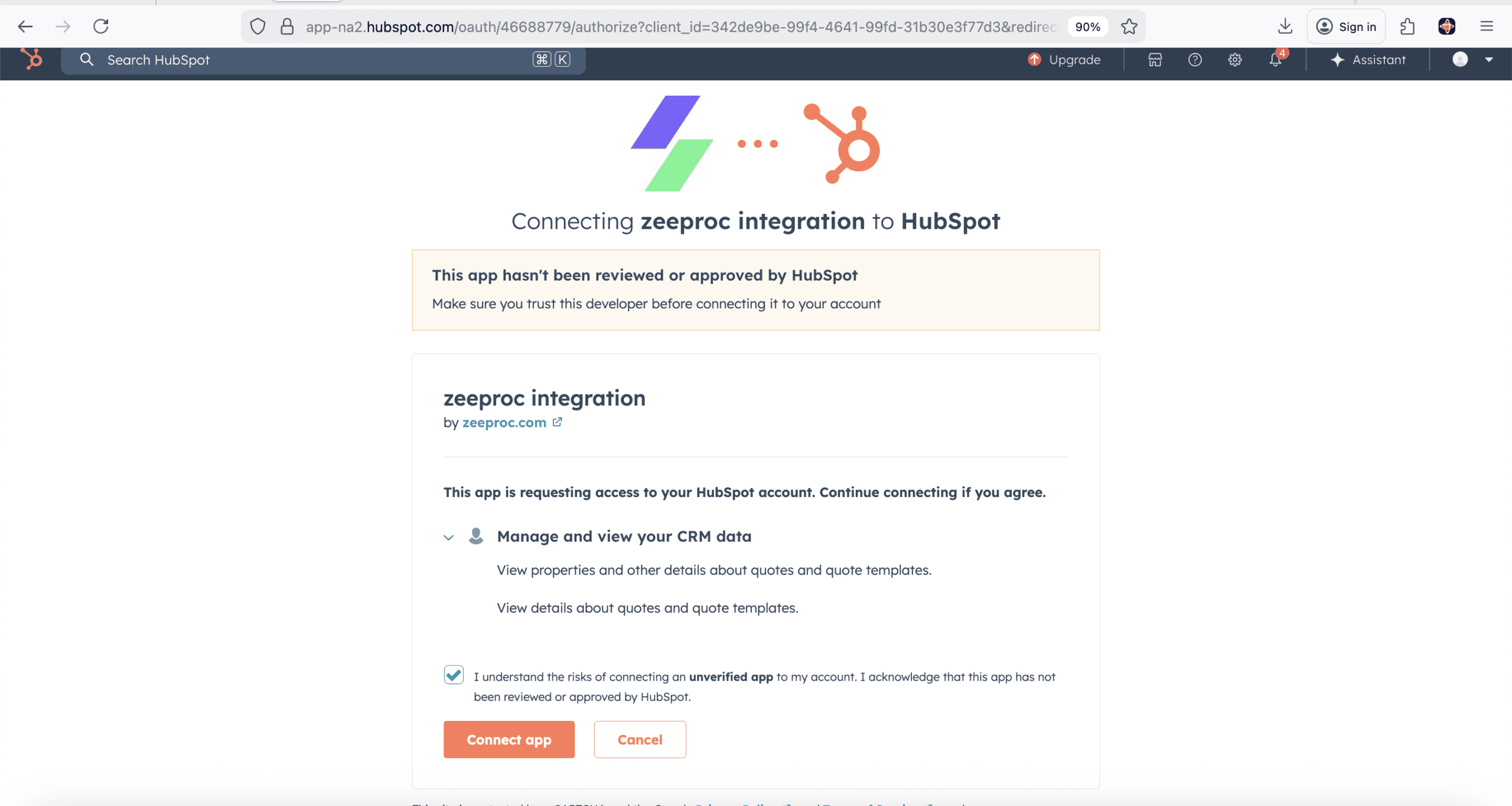
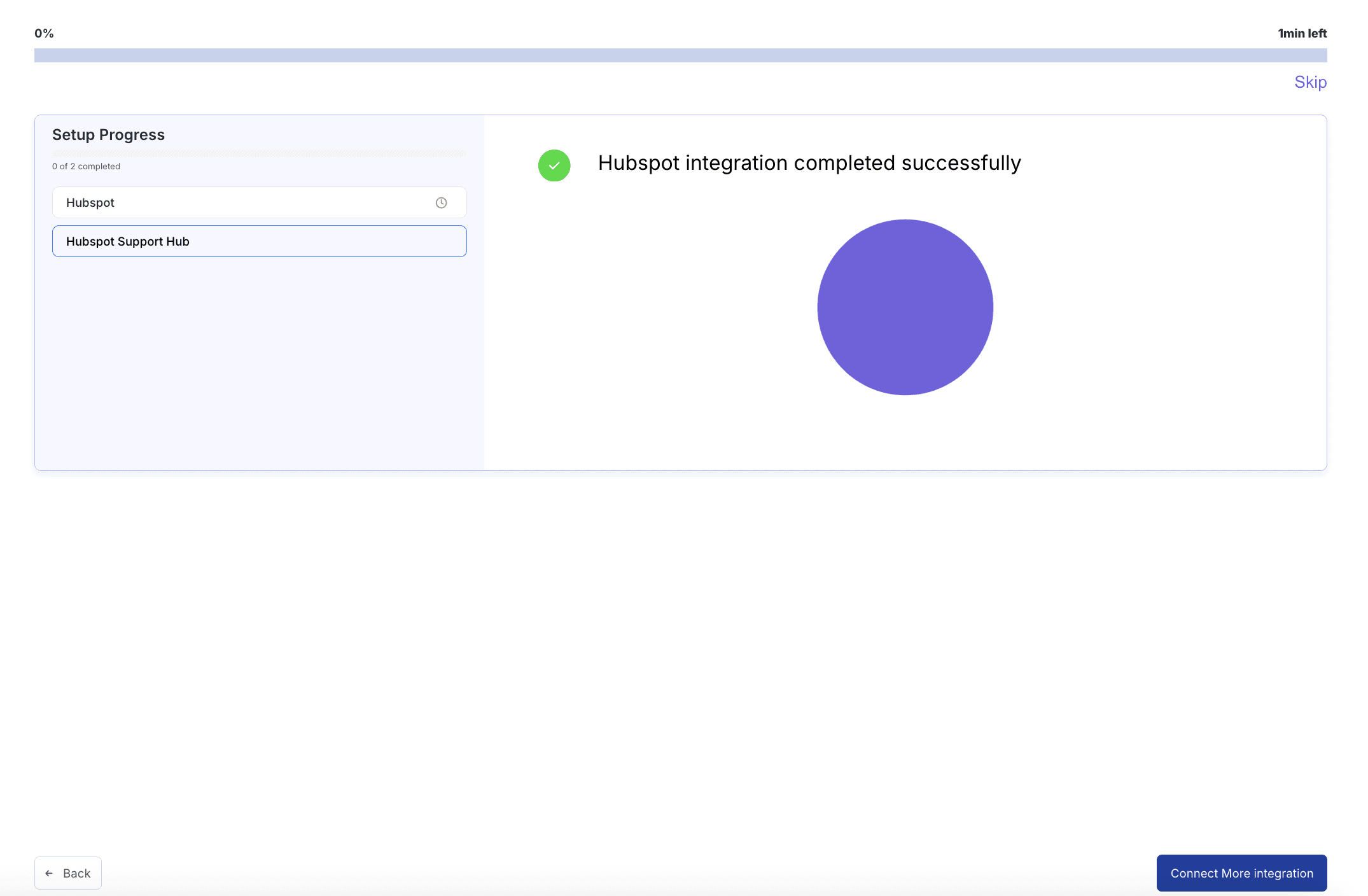
- 1 Navigate to Settings → Integrations → HubSpot in your zeeproc dashboard
- 2 Click "Connect HubSpot" and authorize via OAuth with your HubSpot admin credentials
- 3 Select your HubSpot CRM usage type (CRM, revenue, or support) and activate
zeeproc didn't just organize our data — it transformed our CS team. We moved from reactive firefighting to proactive growth in 6 weeks. The HubSpot integration made it a zero-effort switch.
VP of Customer Success, TechFlow
Common questions about the HubSpot integration
The zeeproc integration works with all HubSpot CRM plans, including the free CRM. For advanced features like custom object sync and Service Hub ticket integration, HubSpot Professional or Enterprise is required. zeeproc supports HubSpot Sales Hub, Marketing Hub, and Service Hub.
zeeproc uses OAuth 2.0 as the sole authorization method, following HubSpot's security requirements. When you click "Connect HubSpot," you're redirected to HubSpot's authorization page where you grant specific scopes. zeeproc only requests scopes it actively uses — no unnecessary permissions. You can revoke access from the HubSpot app at any time in your HubSpot settings.
All data transfer between HubSpot and zeeproc is encrypted via TLS 1.2+. zeeproc is SOC 2 Type II compliant. Data is stored in encrypted-at-rest databases, and you have full control over which objects and fields are shared. Access logs are available in the zeeproc admin panel.
Yes. During setup, you select how you use HubSpot CRM (for CRM/leads, for revenue management, or for support/ticketing), and zeeproc automatically syncs the relevant objects. The integration does not support custom field-level mapping — it uses smart defaults based on your HubSpot CRM usage type.
If you disconnect, data sync stops immediately but no data is deleted from either platform. Your existing zeeproc records remain intact. You can reconnect at any time and sync will resume from where it left off. You can also revoke access directly from the HubSpot app in your HubSpot settings under Integrations → Connected Apps.
Both setup paths take under 2 minutes. The Quick Connect (PLG) path: sign up, select HubSpot, authorize, done. The Settings Configuration path: navigate to Settings → Integrations, click Connect HubSpot, authorize, select your CRM usage type, activate. No developer or engineering support is required for either path.
Ready to put Customer Success on Autopilot?
Connect your HubSpot CRM to zeeproc in under 2 minutes. No credit card required.